Producing the Auditor Evidence Package
Audience. Whoever has to answer a notified body, a customer's security questionnaire, or a market surveillance authority.
Outcome. A dated, printable evidence package showing which CRA vulnerability-handling obligations you have met, what evidence backs each one, and which harmonised-standard clauses that covers.
Why it matters. Full CRA obligations apply from 11 December 2027. The difference between meeting them and proving you met them is this document.
Time required. Generating the report takes seconds. Getting the tracker to a state worth printing is the actual work.
How this fits together
The report is a read-only projection of the obligations tracker. Nothing is entered here. An empty tracker produces a 0% report, so the sequence is fill in the tracker, then generate.
Step 1. Work the obligations tracker
Open Readiness. The tracker is in two parts. December 2027 Groundwork by Phase, in the "September 2026 Article 14 Readiness" section, holds the applicability, preparedness, reception and verification phases. December 2027 Artifact Responsibility Matrix, in the "CRA CVD December 2027 Readiness" section, holds the remediation, release and post-release phases.
The settings link at /settings/obligations redirects here, so both routes reach the same tracker. Do not go looking for a separate obligations page.
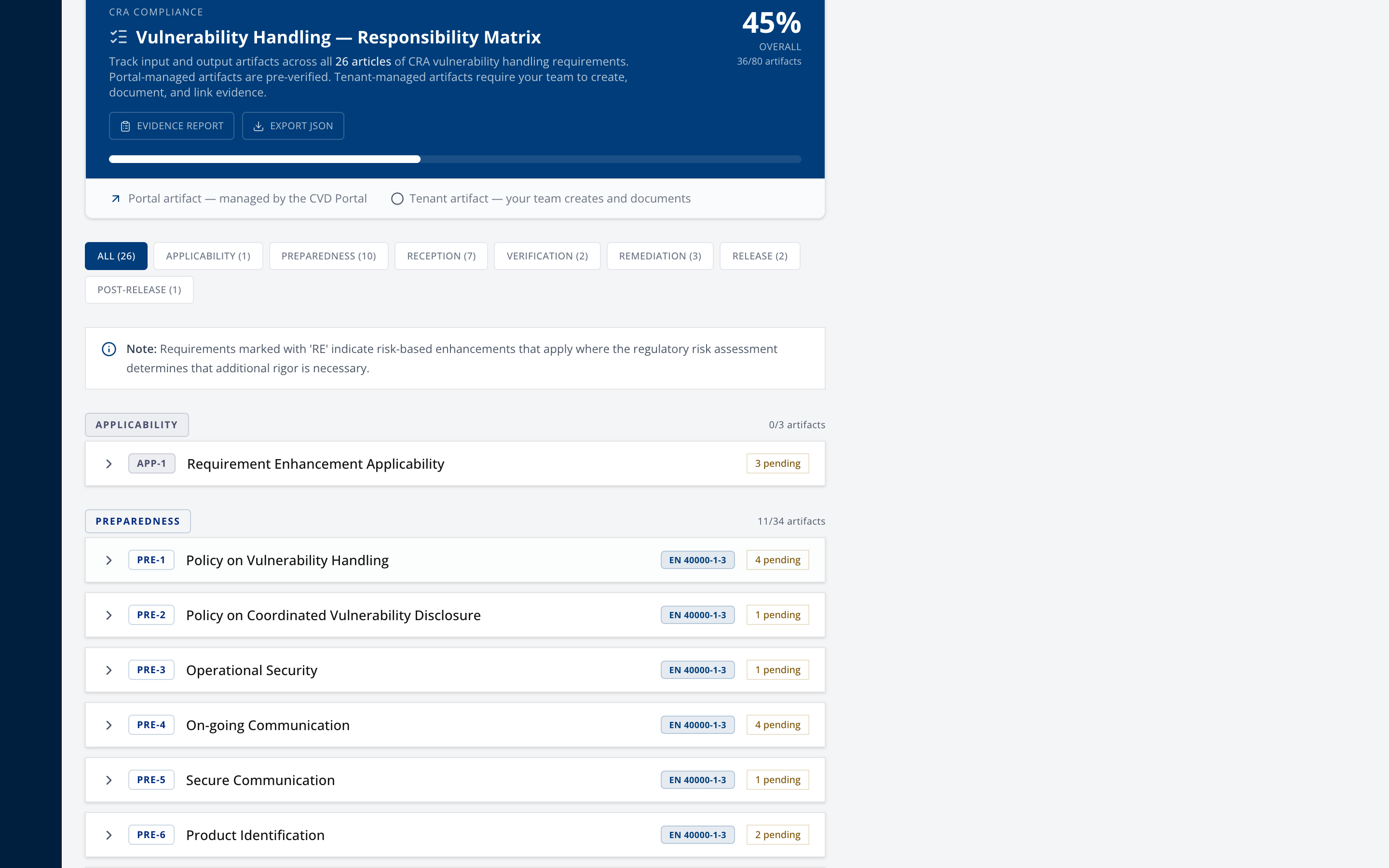
Every input and output artifact across the CRA vulnerability-handling articles, grouped into seven phases. Filter by phase using the chips in each part.
Two kinds of artifact, and the distinction matters:
- Portal artifact. Managed by the platform and satisfied automatically. Shows an "Open in Portal" link. No action needed.
- Tenant artifact. Yours to produce and document. These are the ones you work.
Step 2. Complete the tenant artifacts
Expand an article to see its requirements, input artifacts, output artifacts and assessment criteria.
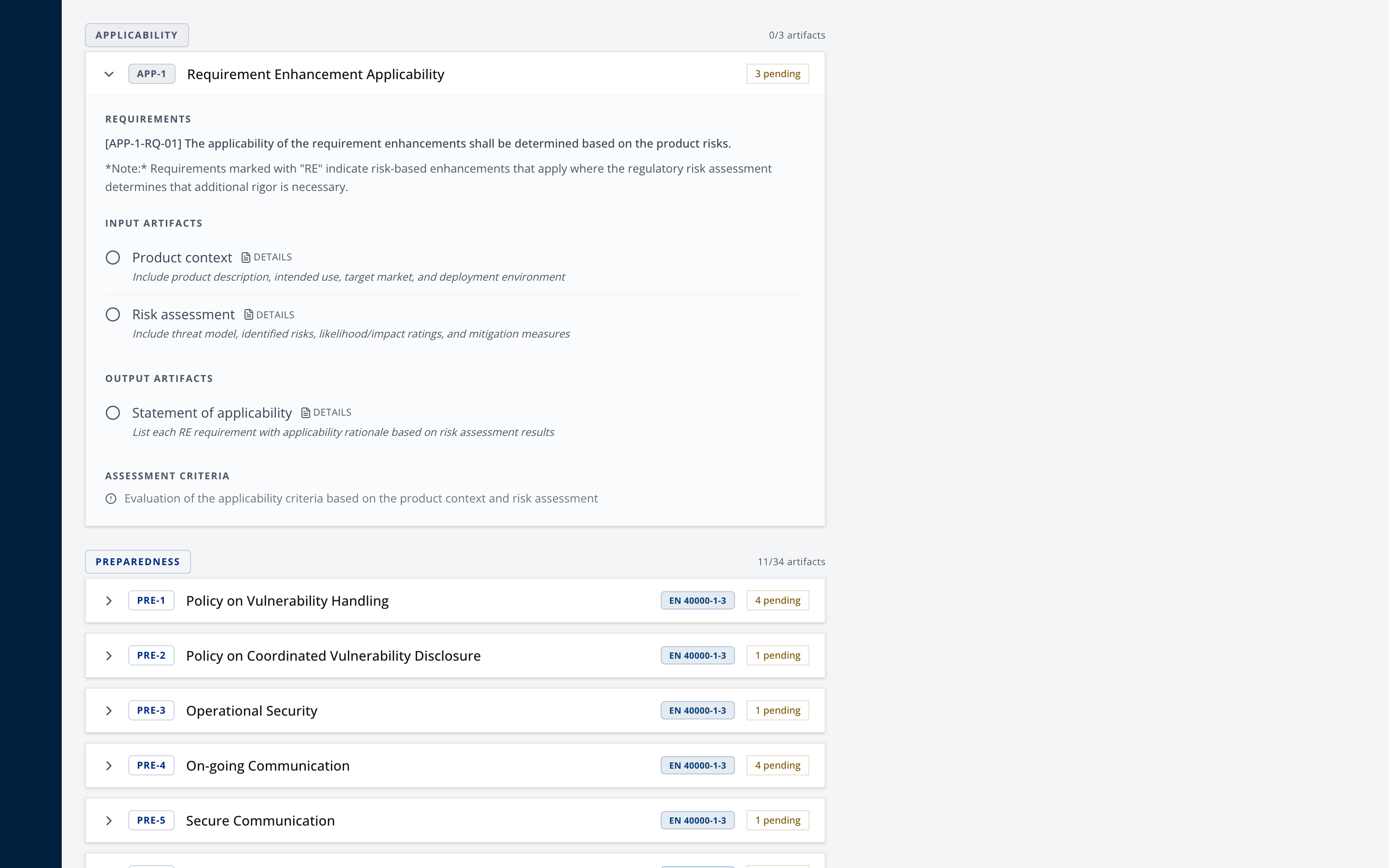
For each tenant artifact, mark it complete and open details to add notes and an evidence link. Both save as you go.
Point the evidence link at something durable that an auditor can actually open, a document management system or a wiki page. A link into a personal drive folder is not evidence.
On Pro and above, draftable artifacts offer Generate Draft, which produces a starting point marked "DRAFT". It is a starting point. The banner tells you to review it, fill in every TODO and adapt it before marking complete. An unedited draft marked complete is a finding waiting to happen.
Step 3. Generate the evidence report
From the tracker header, select Evidence Report, or go directly to /settings/obligations/report.
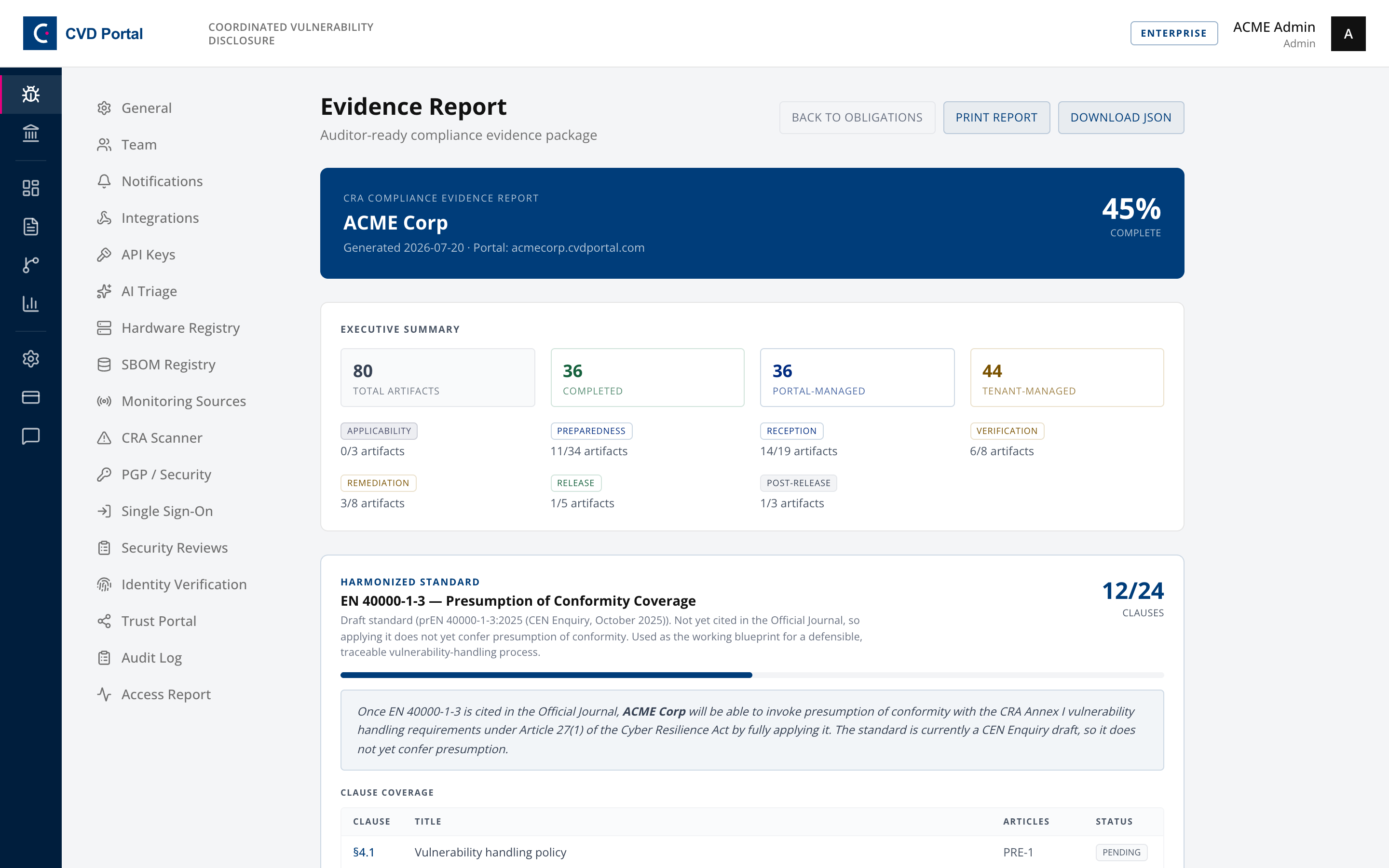
The header carries your company name, the generation date and your portal address, so the document is self-dating.
Step 4. Read the executive summary before anyone else does
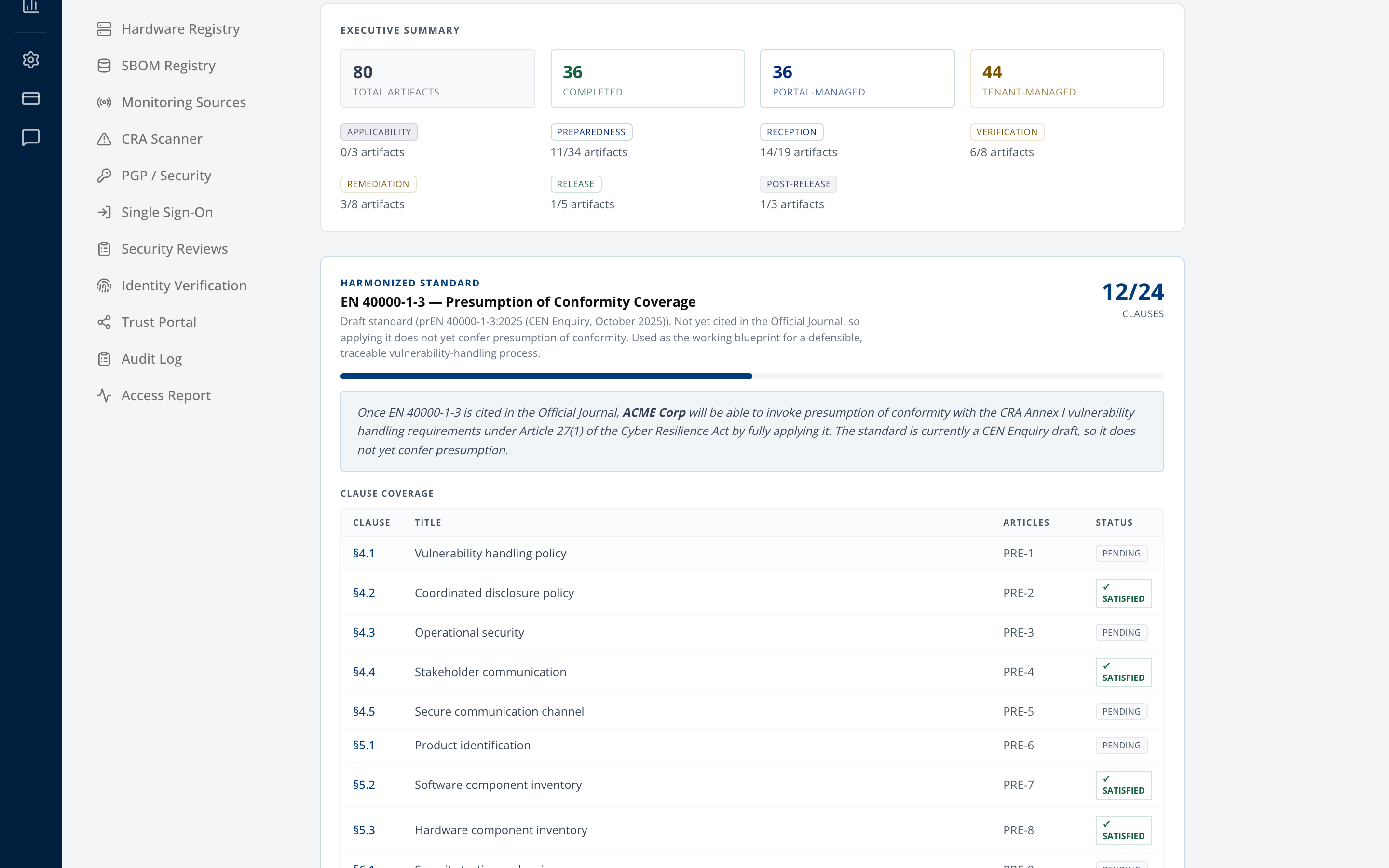
Total artifacts, completed, portal-managed and tenant-managed, then a per-phase breakdown.
The portal-managed count inflates your percentage in a way that flatters you. Look at the tenant-managed number, because that is the part an auditor will test, and it is the part that reflects work your organisation actually did.
Step 5. Check the clause coverage
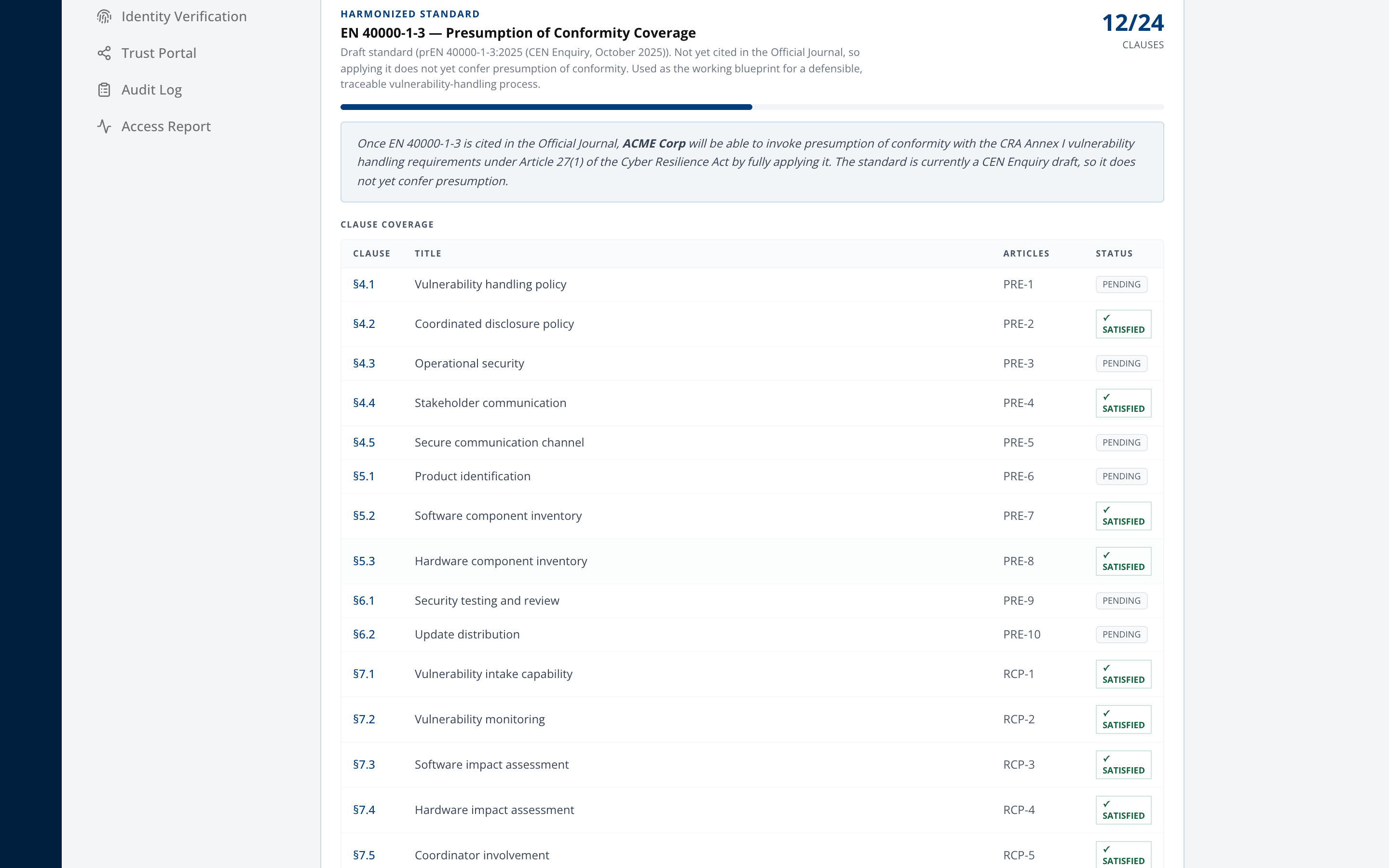
Maps your completed artifacts onto EN 40000-1-3 clauses, each marked satisfied or pending.
Read the caveat on this section and do not paraphrase it away. EN 40000-1-3 is currently a CEN Enquiry draft and is not yet cited in the Official Journal, so applying it does not confer presumption of conformity today. It is a defensible working blueprint, not a shield. Claiming presumption you do not have is worse than claiming nothing.
Step 6. Confirm the audit trail
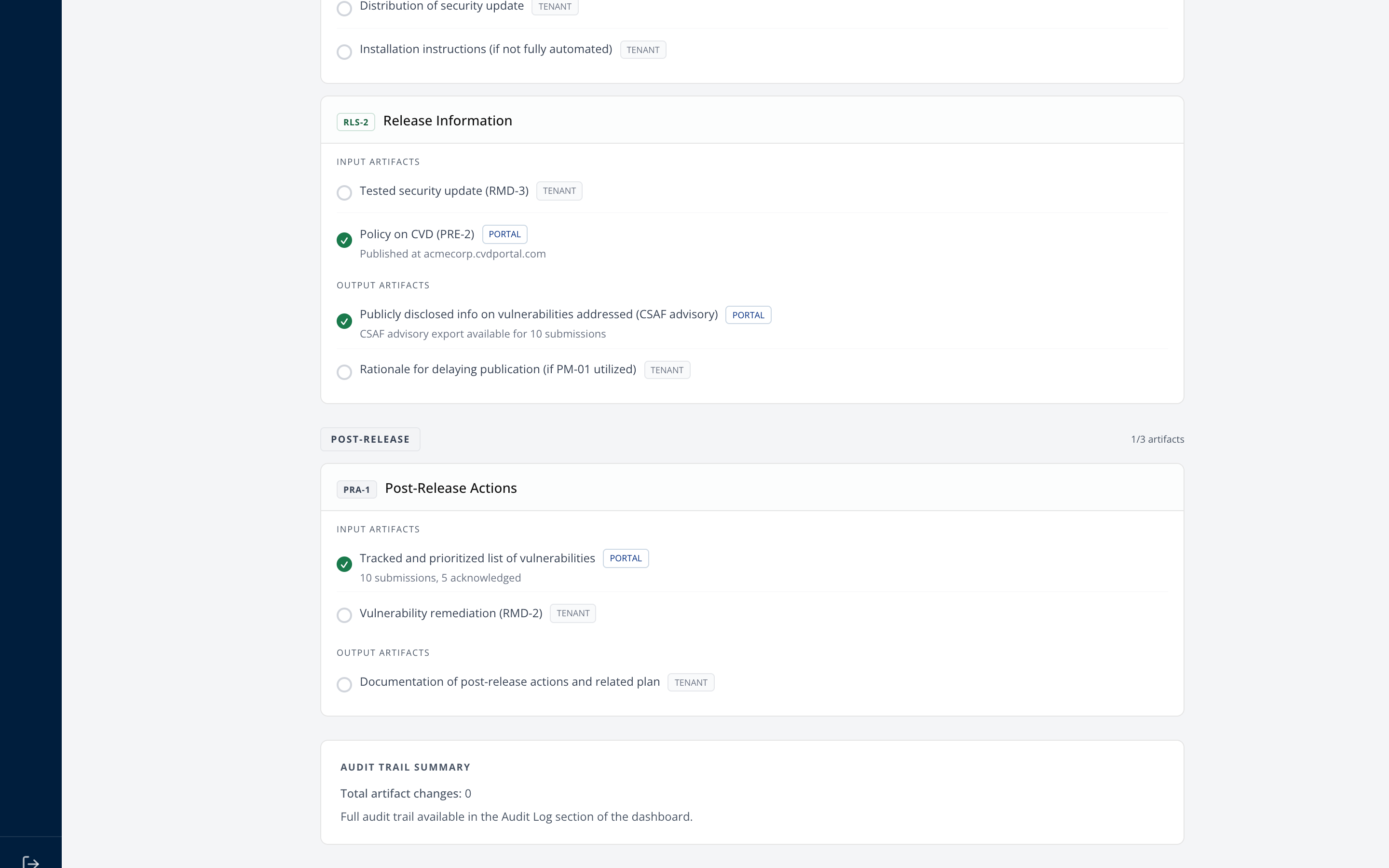
Summarises how many artifact changes are on record and when the first was made. The full trail lives under Settings, then Audit Log, which is append-only and hash-chained.
A tracker completed entirely in one sitting the week before an audit tells its own story. The timestamps are the point.
Step 7. Export
Two formats from the report header.
- Print Report produces the PDF, using print styles that drop navigation and page-break per phase.
- Download JSON produces
cra-evidence-package.json, for a GRC platform or a customer's automated intake.
Generate a fresh copy for each audit rather than reusing an old one. The report is dated, and an auditor comparing a stale package against a live system will find the gap.
Completion checklist
- Every tenant artifact reviewed, not just the easy ones
- Completed artifacts carry notes and a durable evidence link
- Generated drafts edited and adapted, with no TODO left
- Per-phase breakdown reviewed, with weak phases understood
- Clause coverage reviewed, and the presumption caveat understood
- Audit trail shows work spread over time
- Report exported as PDF, JSON, or both
- A copy filed with the date of the audit it supports
Common questions this answers
| Question | Where it comes from |
|---|---|
| Do you have a documented vulnerability-handling process? | Preparedness phase artifacts |
| How do you receive vulnerability reports? | Reception phase, plus your public portal |
| How do you verify and prioritise? | Verification phase, plus the triage trail in SOP-05 |
| How do you decide what to fix? | Remediation phase, plus recorded remediation decisions |
| Can you prove any of this happened? | Audit trail summary, plus the append-only log |
What this report is not
It covers vulnerability handling, being Annex I Part II. It does not cover product conformity, the Annex I Part I essential requirements, classification or the Declaration of Conformity. Those live per product and are covered in SOP-02, exported from the Conformity tab as the technical file.
An auditor asking about a specific product wants that export. An auditor asking about your process wants this one.