Enterprise Account Administration
Audience. Whoever administers the account, usually once at rollout and rarely afterwards.
Outcome. Company sign-in through your identity provider, scoped API access, events routed into the tools your team already watches, and a trust portal customers can be pointed at.
Why it matters. These are the settings that make the platform fit an organisation rather than a team. None is required to be compliant, and all of them reduce the manual work of staying that way.
Time required. About an hour, plus whatever your IdP administrator needs. SSO has a DNS step that may wait on someone else.
Note. This is a bundle of independent tasks, not a sequence. Do the ones you need in any order.
Single Sign-On (SAML 2.0)
Open Settings, then Single Sign-On.
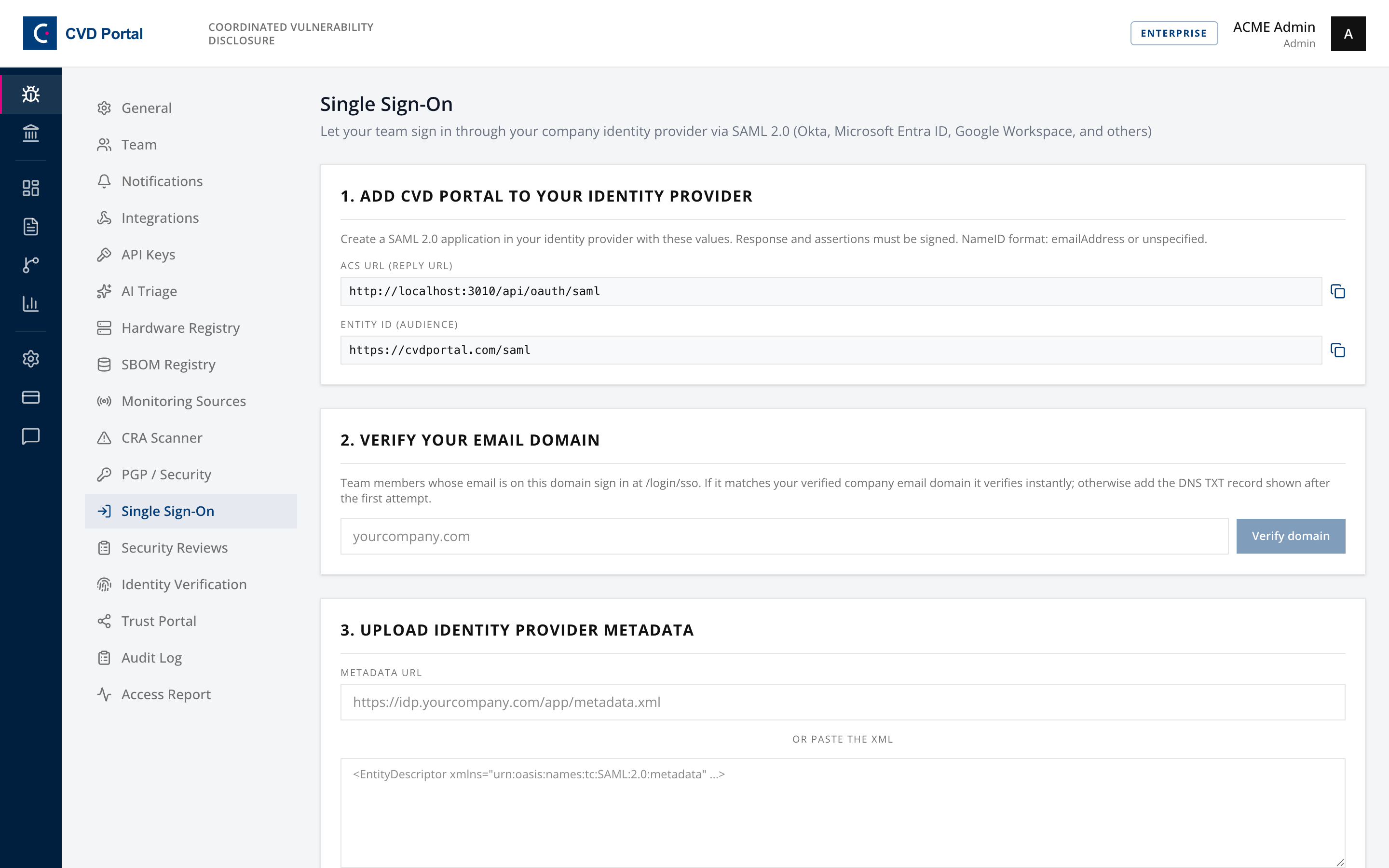
A genuine three-step wizard where the order is enforced.
1. Add CVD Portal to your identity provider. Copy the ACS URL and Entity ID into a new SAML 2.0 application in Okta, Entra ID, Google Workspace or similar. Responses and assertions must be signed. NameID format is emailAddress or unspecified.
2. Verify your email domain. Enter the domain your team signs in with. If it matches your verified company email domain it verifies instantly. Otherwise the page shows a DNS TXT record to add, after which you verify again.
3. Upload identity provider metadata. Either a metadata URL or pasted XML.
Save connection stays disabled until the domain is verified. That is deliberate, not a bug. If step 3 looks broken, you have not finished step 2.
Once active, team members sign in at /login/sso. Keep at least one administrator with a working password login until you have confirmed SSO end to end, or a misconfigured IdP locks everyone out at once.
API keys
Open Settings, then API Keys.
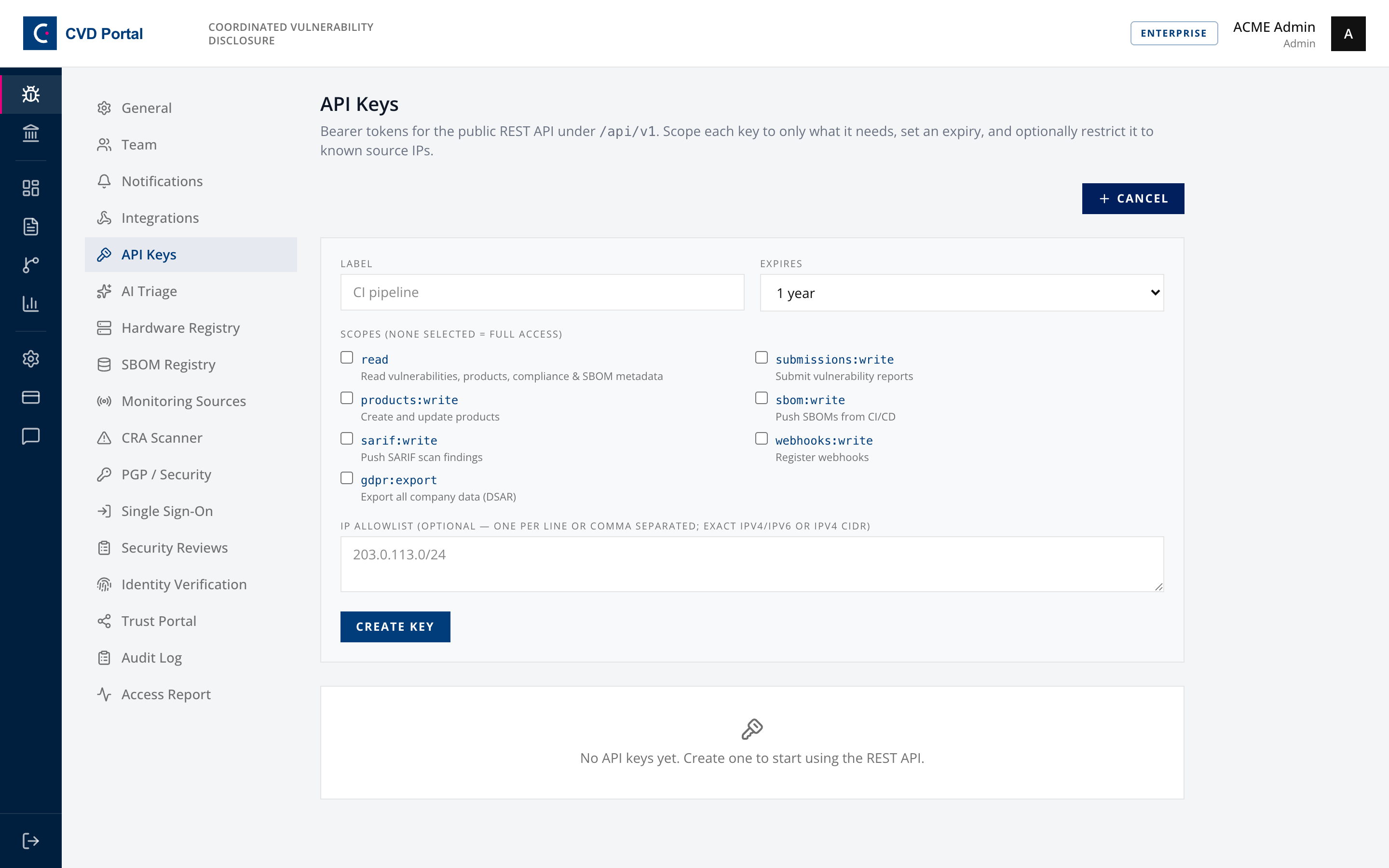
Create a key with a label, an expiry, and the scopes it needs. Optionally restrict it to known source IPs, given as exact IPv4 or IPv6 addresses or IPv4 CIDR ranges.
Scopes: none selected means full access. Read that twice. The default is the most permissive option, so select scopes explicitly. A key for posting SARIF from CI needs sarif:write and nothing else.
The secret is displayed once. Copy it then, because it cannot be retrieved afterwards.
Existing keys can be rotated, which invalidates the current secret immediately, or revoked permanently. Both break any integration using them, so check the "Last used" column first.
Set an expiry even when it is inconvenient. A key that never expires outlives the person who created it and the reason it existed.
Integrations and webhooks
Open Settings, then Integrations.
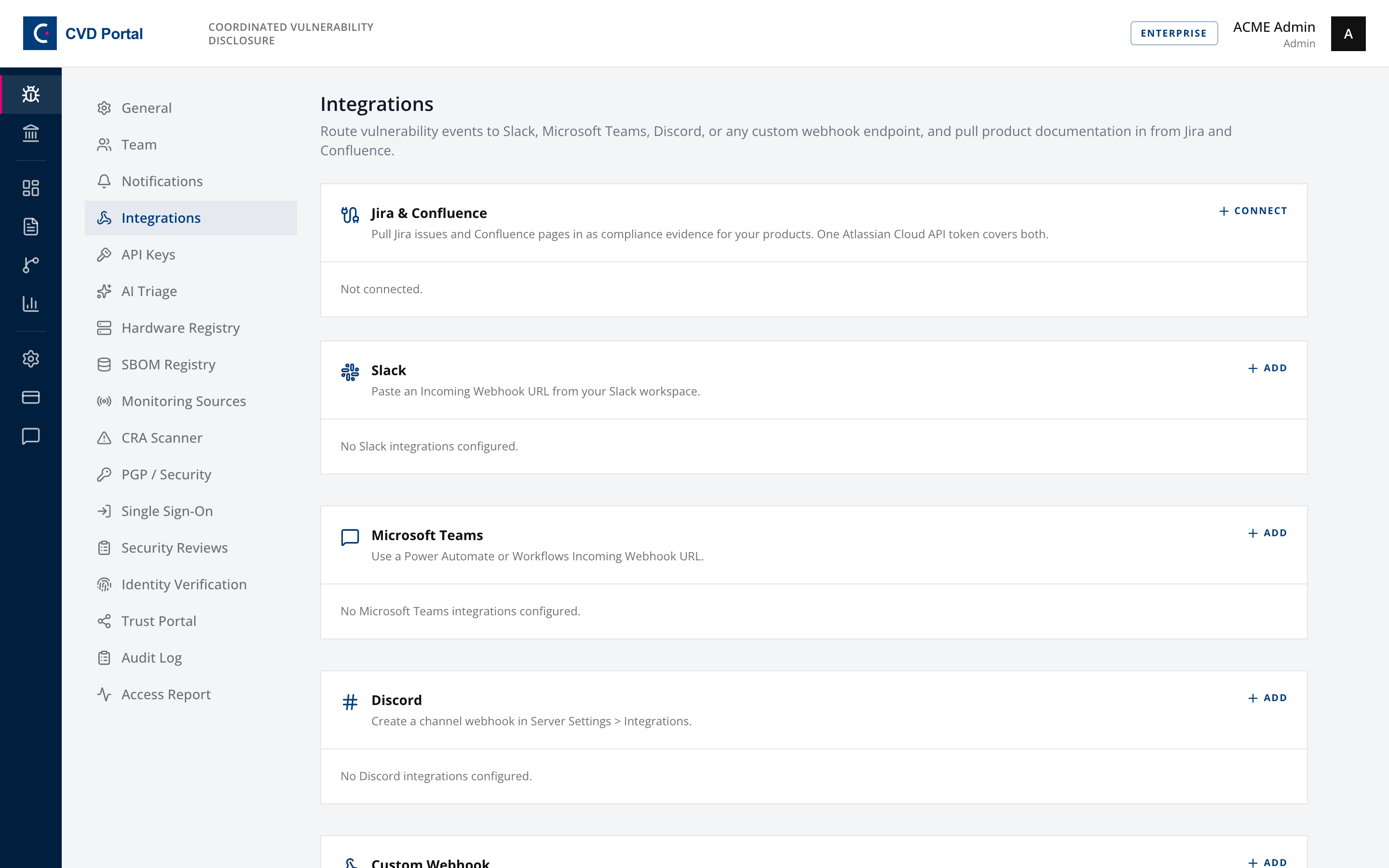
Four destinations: Slack, Microsoft Teams, Discord, and a custom HTTPS endpoint. Jira and Confluence connect separately for pulling in product documentation.
Choose the event each integration listens for:
- New vulnerability submission
- Report resolution SLA breached
- Security review due
- CRA Art.14 deadline approaching
- CRA Art.14 deadline missed
- Threat intel or KEV match
- Exploitation detected for an advisory CVE
- SBOM ingested
- Advisory published
- Product classification changed
- AI triage failed
- Partner opened your workspace
Custom webhooks accept a signing secret, sent as the X-CVD-Signature header. Use it and verify it at your endpoint, otherwise anyone who learns the URL can post to it.
Create the webhook URL in the destination tool first. That is the actual prerequisite and the step people arrive without.
Use Test on each integration after saving. It reports failures rather than failing silently, and a routing rule nobody verified is one you will discover during an incident.
The two Article 14 events are the ones worth wiring into something a human watches out of hours. A missed 24-hour deadline is not an email-in-the-morning problem.
Trust portal
Open Settings, then Trust Portal.
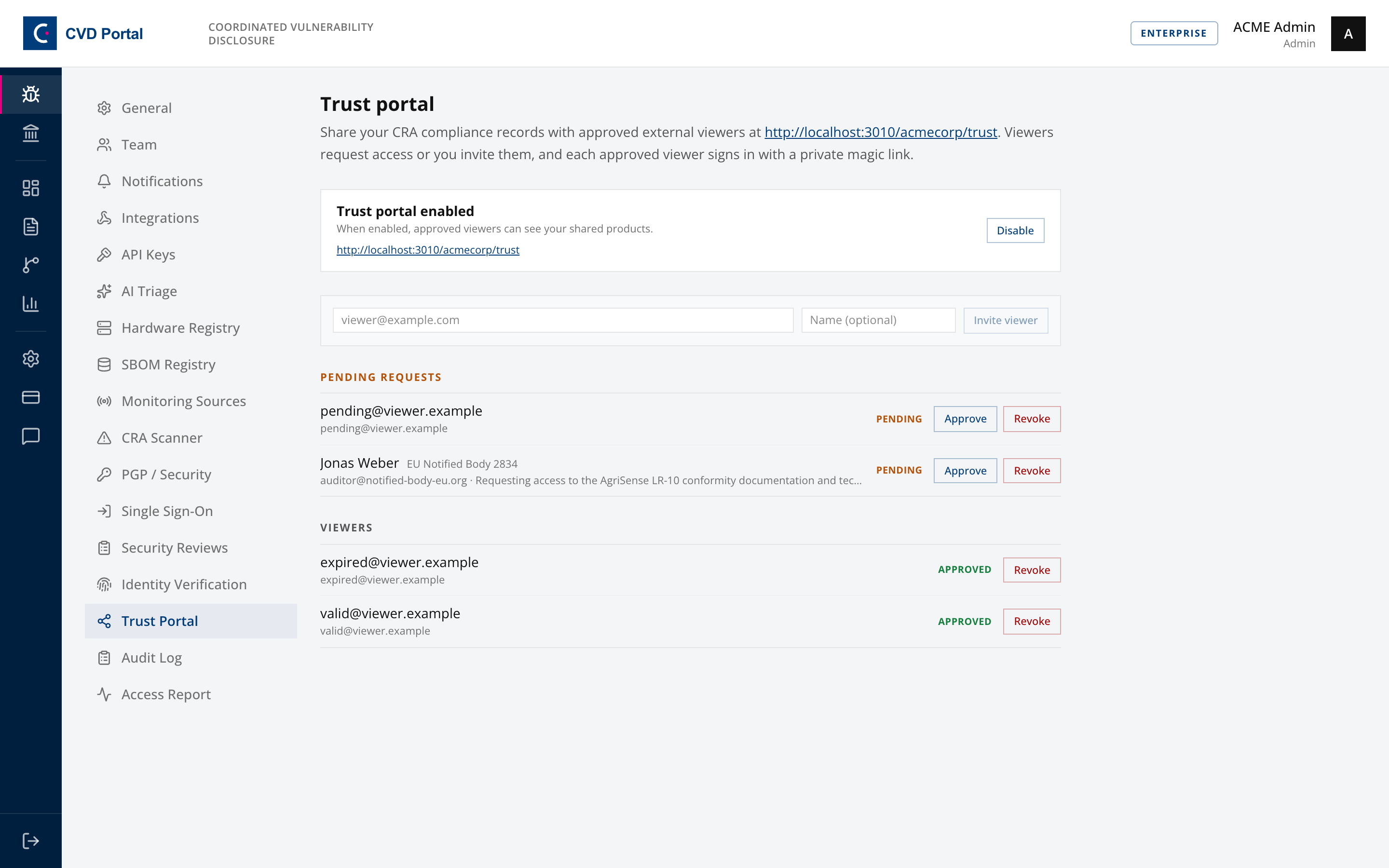
Enable the portal, then either invite viewers by email or approve inbound requests. Approving sends a magic link. Revoke when a relationship ends.
The public side is what customers and auditors see.
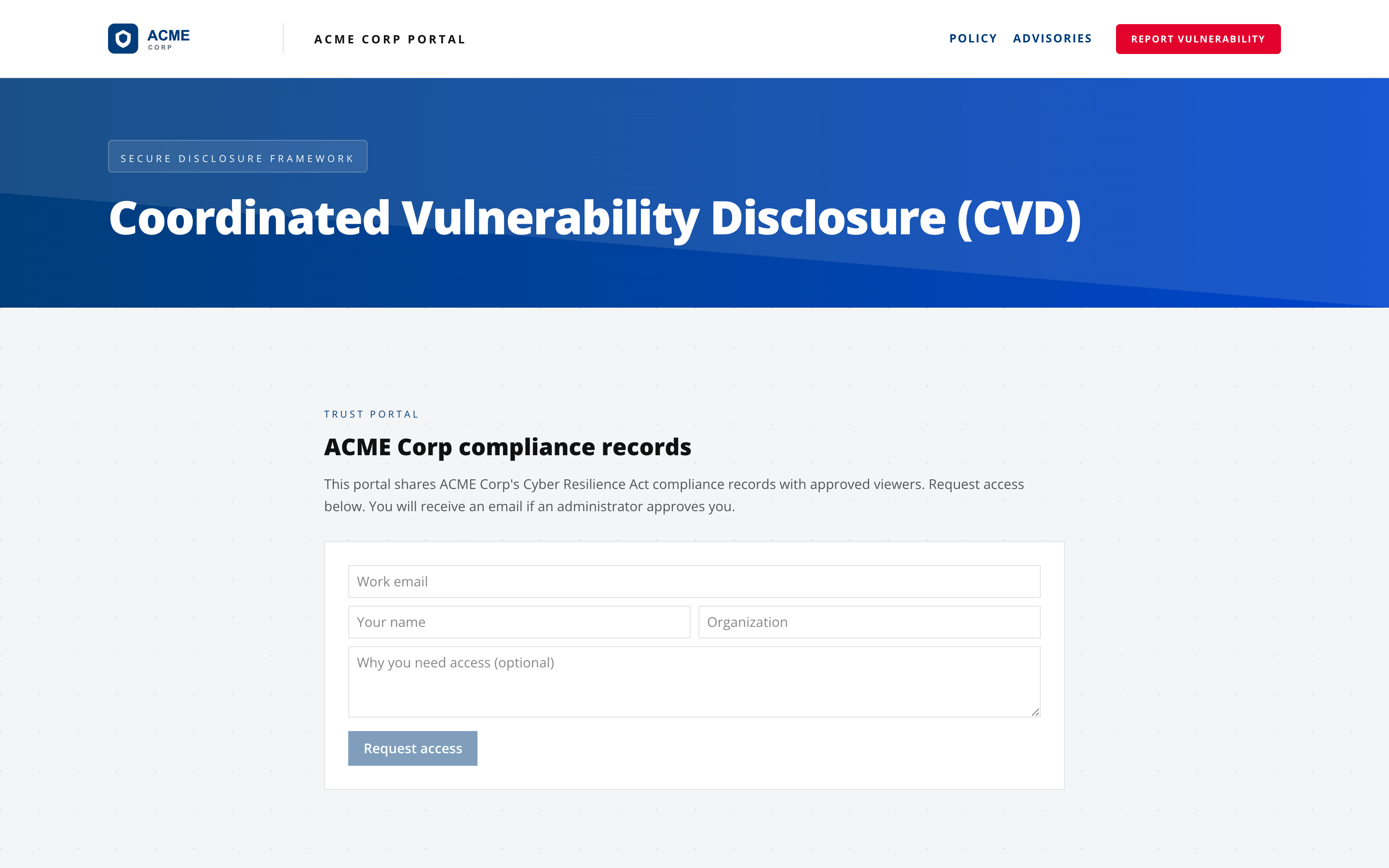
Access links are single use and expire after 72 hours, so re-clicking a used link fails. The page explains what happened rather than silently returning to the request form.
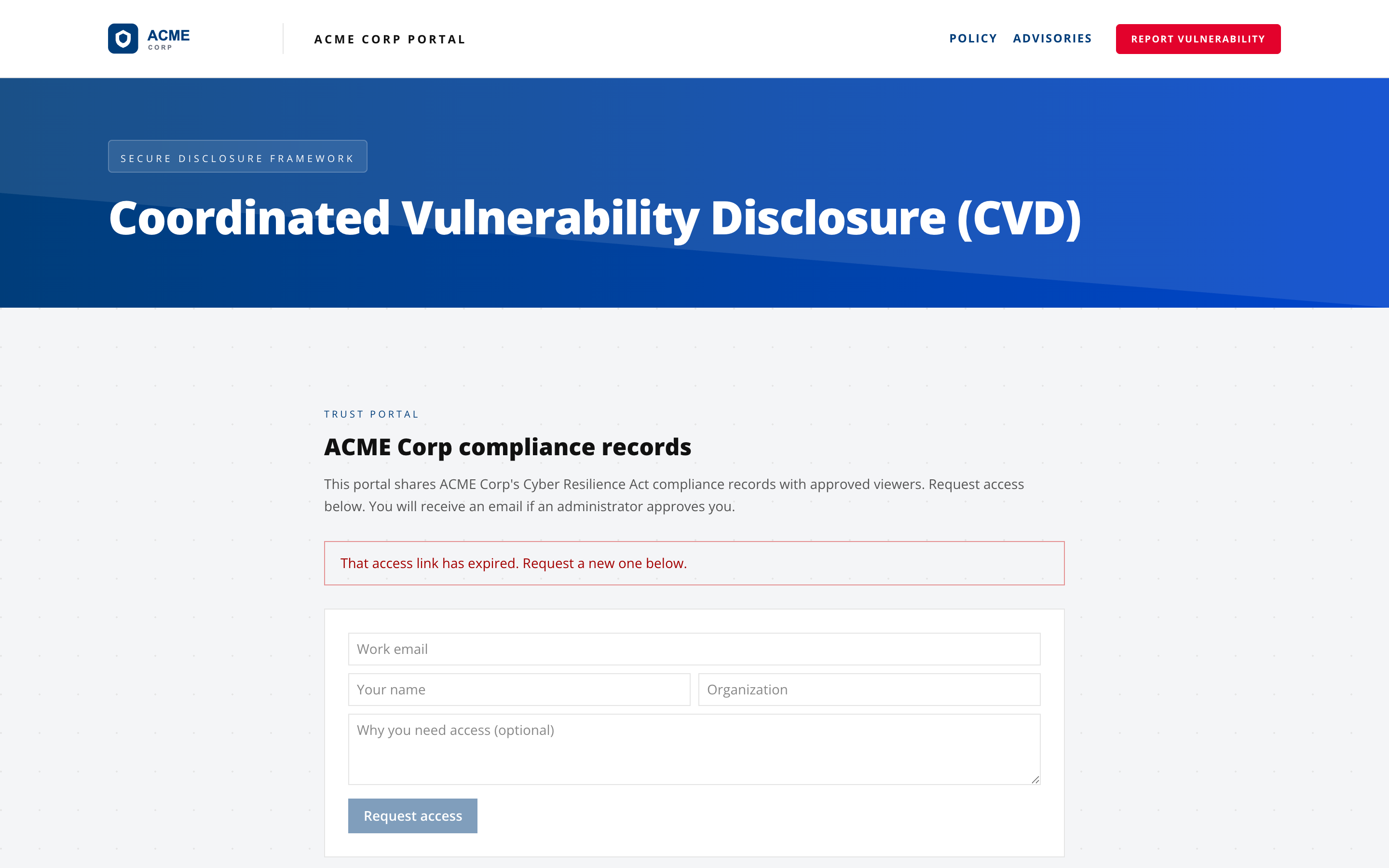
The dependency chain here is the longest in the product, and every link must hold: Enterprise plan, portal enabled, viewer approved, product marked visible, and the product carrying a published snapshot. Only frozen snapshots are shared, never live drafts. If a viewer reports seeing nothing, walk that chain in order.
Identity verification (EUDI wallet)
Open Settings, then Identity Verification.
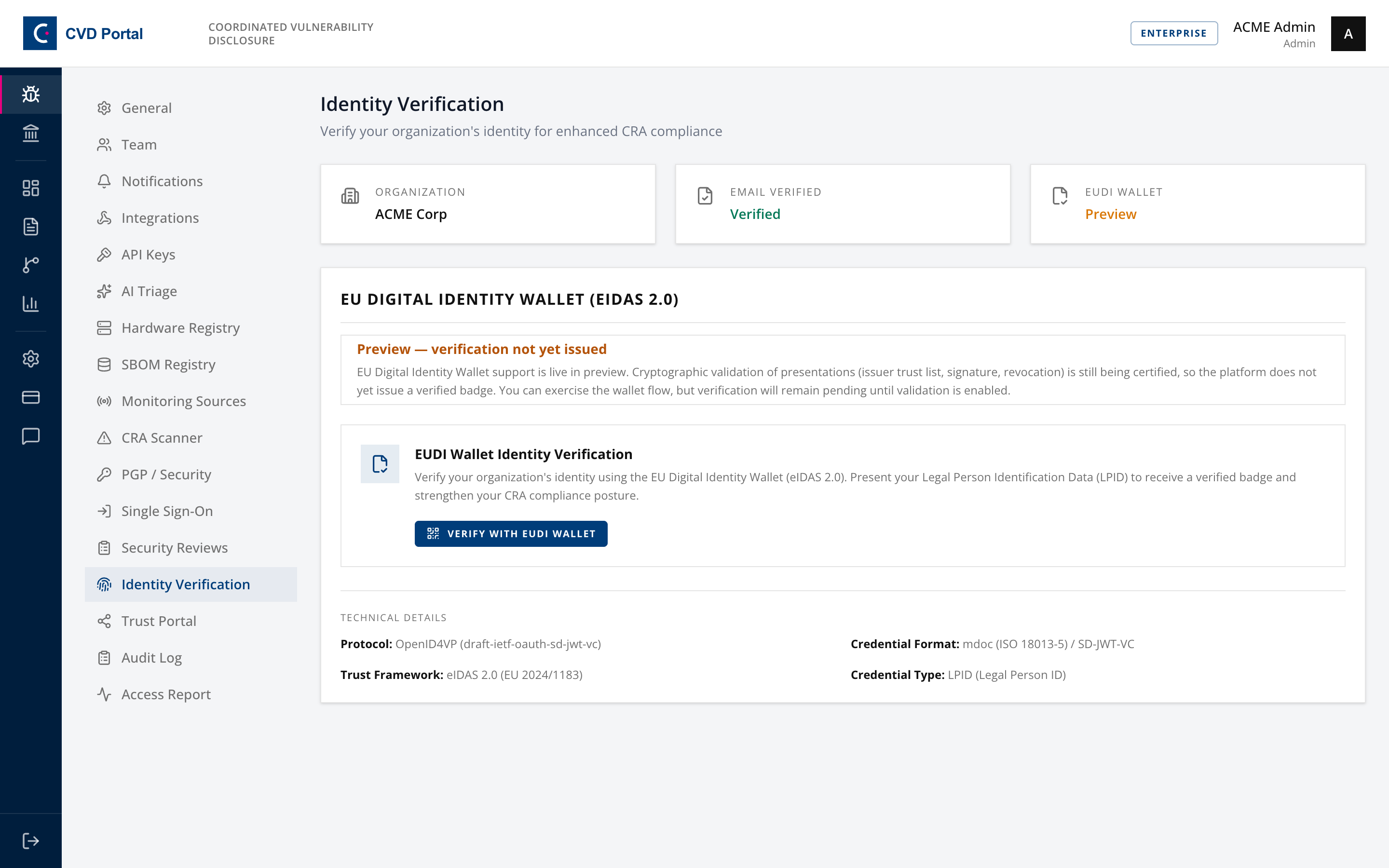
Verifies your organisation's legal identity through the EU Digital Identity Wallet under eIDAS 2.0, using OpenID4VP with mdoc or SD-JWT-VC credentials. A verified badge then appears on your trust portal.
Expect to see "Preview — verification not yet issued". Cryptographic validation of presentations is still being certified, so the flow can be exercised but verification stays pending. That is an intentional platform state, not a fault in your configuration, and no amount of retrying changes it.
Security test and review plan
Open Settings, then Security Reviews.
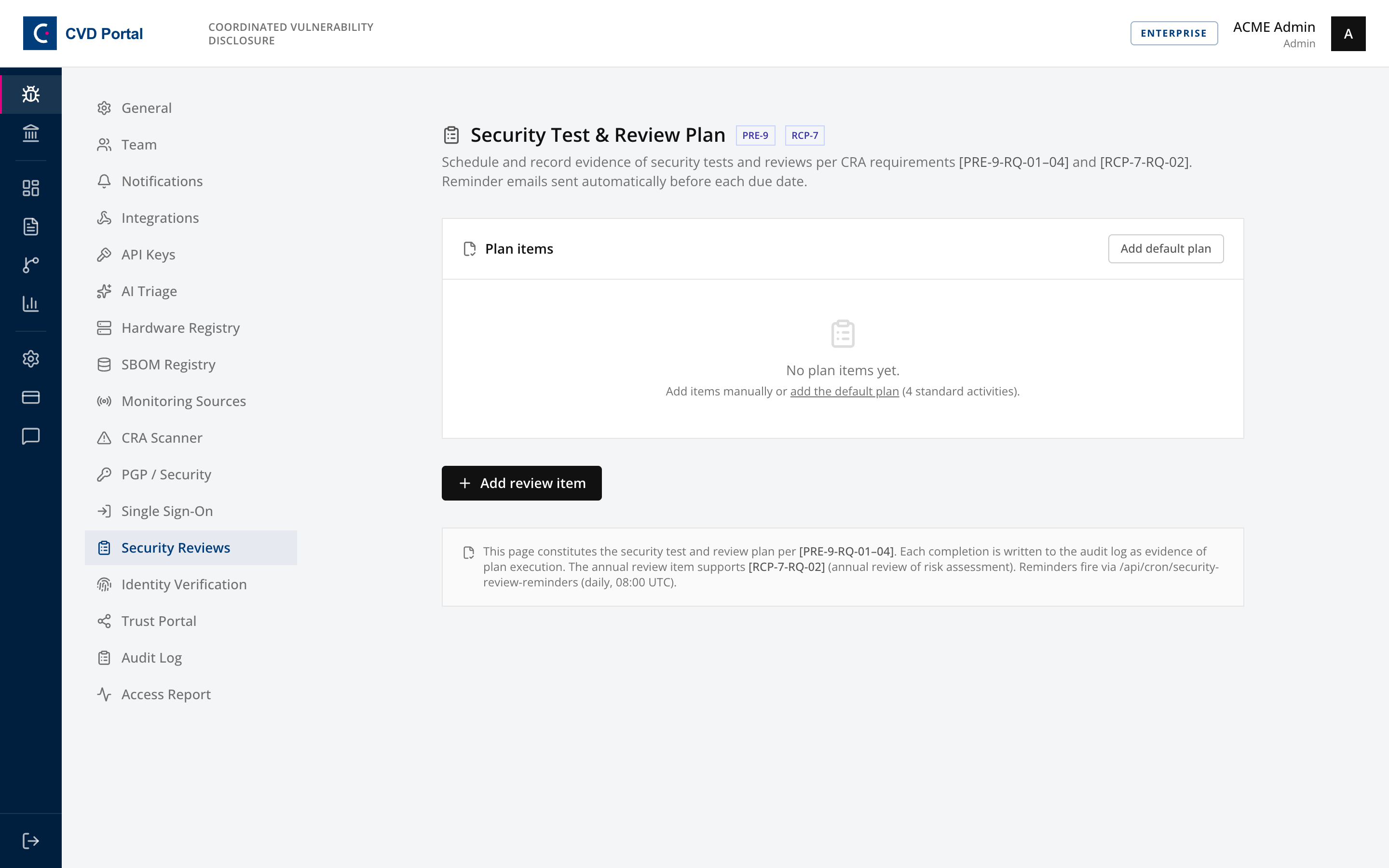
The scheduled plan of security tests and reviews, labelled PRE-9 and RCP-7. Add default plan seeds four items: an annual penetration test, a quarterly vulnerability scan, an annual risk assessment review and a quarterly security review, each with methodology, scope and a reminder lead time.
Recording a completion rolls the next due date forward by the frequency and writes an audit entry. Overdue and due-soon items are called out at the top.
This is a Pro feature rather than Enterprise, and it is the cheapest evidence on this list. Seed the default plan even if you refine it later, because "we do annual pen tests" is worth much less than four dated completion records.
Completion checklist
- SAML application created in the IdP, domain verified, connection saved
- SSO tested end to end, with one password-login admin retained
- API keys scoped explicitly rather than left at full access
- Expiry set on every key, and secrets stored in a password manager
- Integrations created in the destination tool, saved, and tested
- Article 14 deadline events routed somewhere monitored out of hours
- Custom webhook signing secret set and verified at the endpoint
- Trust portal enabled, viewers approved, products marked visible with snapshots
- Security review plan seeded and owners assigned
Plan requirements
| Feature | Required plan |
|---|---|
| Security test and review plan | Pro |
| SSO, API keys, integrations, trust portal, EUDI identity | Enterprise |
Screens with no setup
Three are read-only and need no configuration, but are worth knowing before someone asks:
- Audit Log, append-only and hash-chained, the 200 most recent events
- Access Report, portal sign-ins by user, country and IP, bots excluded
- Analytics, acknowledgment and resolution timing against your SLA targets